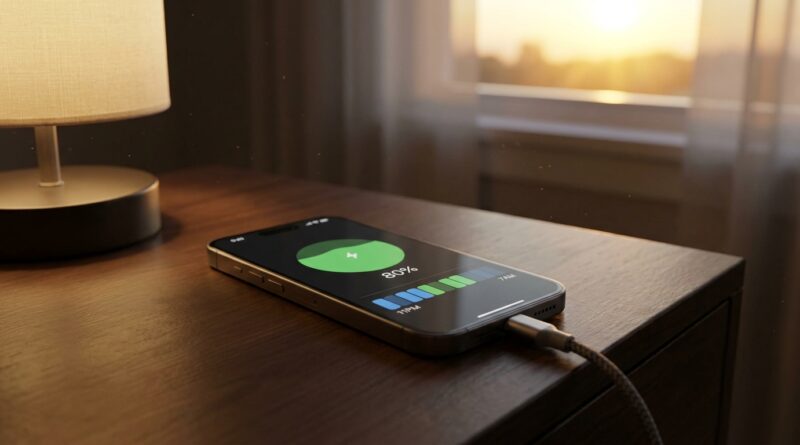
Stop Letting Your Battery Die Early: The Hidden ‘Charge Caps + Smart Schedules’ Trick Power Users Use To Make iPhones Last Years Longer
You are not imagining it. A lot of iPhone owners do all the “right” things, keep brightness down, switch on Low Power Mode, avoid junk chargers, and still watch battery health slide faster than expected. That is frustrating, especially now that phones cost more and most of us want to keep them for years, not just until the next upgrade. The good news is Apple has quietly added much better battery controls in recent iOS versions. The bad news is they are scattered through Settings, poorly explained, and easy to use the wrong way. The real trick is not one magic toggle. It is using charge caps and smart charging schedules together, on purpose. Once you set them up properly, your iPhone can spend less time sitting hot at 100 percent, which is one of the sneaky habits that wears batteries down over time.
⚡ In a Hurry? Key Takeaways
- The best setup for many people is simple: use a charge limit for desk or overnight charging, and let Optimized Battery Charging handle the rest.
- If your iPhone supports it, set a charge cap like 80 percent when you are plugged in for long stretches, then raise it only on heavy travel or long days out.
- You do not need to obsess over every recharge. Heat and long hours at 100 percent usually matter more than topping up from 40 to 70 percent.
Why your battery health keeps dropping even when you are “careful”
Most battery advice people still share is old. It focuses on dimming the screen, turning off background apps, or using Low Power Mode all day. Those tips can help runtime, but they do not always do much for long-term battery health.
The bigger issue is charging behavior. Lithium-ion batteries age faster when they spend lots of time fully charged, especially if the phone is also warm. That is exactly what happens when an iPhone sits on a charger all night, all workday, or in a hot car with CarPlay running.
So if you want your battery to last longer in the “how many years can I keep this phone?” sense, the goal changes a bit. You are not just trying to make today’s battery last until bedtime. You are trying to reduce stress on the battery month after month.
The hidden combo that actually helps
Here is the trick power users have been settling into on newer iPhones: use Apple’s charge limit feature when your phone is usually near a charger, and rely on Apple’s smart schedule features when your routine is predictable.
Those two tools do different jobs.
Charge Limit
On supported models, Apple lets you set an iPhone battery charge limit iOS hidden feature that caps charging below 100 percent. For many people, 80 percent is the sweet spot. Your phone simply stops there instead of sitting full for hours.
Optimized Battery Charging
This learns your routine and delays charging past 80 percent until closer to when you usually unplug. It is helpful, but it works best when your schedule is regular and your location habits are consistent.
Adaptive Power and battery-saving profiles
These are more about stretching daily battery life and reducing strain during heavy use. If you want to go further on that side, this guide on Stop Letting Your Battery Boss You Around: The Hidden ‘Adaptive Power Mode Profiles’ Trick Power Users Use To Squeeze Hours Out Of iOS 26+ pairs nicely with the charge settings here.
First, check which battery tools your iPhone actually has
Apple does not give every model the exact same controls. So before you start, go here:
Settings > Battery > Charging
or on some versions,
Settings > Battery > Battery Health & Charging
Look for these options:
- Optimized Battery Charging
- Charge Limit or a selectable percentage cap
- Clean Energy Charging, depending on region
If you do not see Charge Limit, your iPhone may not support that part yet. You can still get a lot of value from Optimized Battery Charging and better charging habits.
The best “set it once” setup for most people
If you work at a desk or leave your phone plugged in a lot
This is the easiest win.
- Go to Settings > Battery > Charging.
- Turn on Optimized Battery Charging.
- If available, set Charge Limit to 80%.
- Use that setup every day unless you know you need extra battery for travel or a long event.
Why this works: your phone avoids camping out at 100 percent while it sits on a charger at your desk, on your nightstand, or on a MagSafe stand.
If you have a regular overnight routine
Try this:
- Leave Optimized Battery Charging on.
- If your alarm and wake time are consistent, give the phone a week or two to learn your pattern.
- If your model supports Charge Limit and you do not need a full battery each morning, test an 85% or 90% cap first, then go lower if that still comfortably gets you through the day.
Some people jump straight to 80 percent and then get annoyed by late-afternoon battery anxiety. If that is you, do not force it. A slightly higher cap you can live with is better than turning the whole feature off after three days.
If you travel a lot or your schedule is chaos
Optimized Battery Charging can be less reliable when your routine changes constantly. In that case, a manual Charge Limit is often more useful.
My practical advice is this:
- Use 80% when you are home or office-bound.
- Temporarily switch to 90% or 100% before flights, road trips, conferences, or long photo days.
- Switch back afterward.
You are not trying to win a purity contest. You are trying to reduce battery stress most of the time.
What to do if you use hot, battery-heavy apps
This matters more than many people realize. Gaming, video editing, GPS navigation, wireless CarPlay, hotspot use, and camera-heavy social apps can create heat. Heat is rough on battery health.
If you use those apps often, charge limits become even more valuable. A phone that is hot and also sitting pinned at 100 percent is under more stress than one hovering lower.
Good habits here are simple:
- Take the case off during long gaming or charging sessions if the phone runs hot.
- Avoid leaving the phone charging in direct sun.
- If using navigation in a car, try to keep the cabin cool.
- Use wired charging when you need a quick refill with less extra heat than some wireless setups can create.
What most people get wrong about charge limits
“If I cap at 80 percent, my battery life is worse”
Short term, yes, you are starting the day with less charge. That is the trade-off. The benefit is usually better long-term battery health. If 80 percent feels too tight, use 85 or 90 percent if your iPhone offers those steps.
“I should never charge above 80 percent”
Not true. Going to 100 percent when you need it is fine. The problem is doing it constantly, then letting the phone sit there for hours every day.
“Low Power Mode protects battery health”
It mostly helps daily endurance. It can reduce heat and background activity, which is nice, but it is not a substitute for smarter charging behavior.
“Wireless charging is always bad”
Not always. It is just more likely to create extra warmth, especially with poor alignment or cheap accessories. If your phone gets noticeably hot on a pad, that is your clue to change something.
A simple weekly battery routine that works
You do not need a spreadsheet. Just do this:
- Leave Optimized Battery Charging on.
- Set a charge cap if your iPhone supports it.
- Use 80 percent by default if you are often near power.
- Bump it up before long days instead of keeping 100 percent on all the time.
- Check battery health once a month, not every morning.
That last one matters. Battery health percentage can make people obsessive. It is a long-term indicator, not a daily scorecard.
When to ignore the charge cap on purpose
There are times when battery longevity should take a back seat to plain convenience.
- Travel days
- Concerts or sporting events
- All-day navigation
- Days when you know you will be away from power for 12 to 16 hours
- Emergency prep
On those days, charge to 100 percent and move on with your life. The win comes from your normal routine, not from trying to be perfect every single day.
If your battery is already in rough shape
If your battery health is already low and the phone dies early, these settings still help, but they will not reverse wear that already happened. Think of them as slowing future decline, not restoring lost capacity.
If your iPhone stutters, gets hot fast, or crashes under load, it may be time for a battery replacement. A fresh battery can make an older phone feel dramatically better, especially if the rest of the hardware is still solid.
At a Glance: Comparison
| Feature/Aspect | Details | Verdict |
|---|---|---|
| Charge Limit | Stops the iPhone from charging past a selected percentage, often 80 to 90 percent on supported models. | Best for people who stay plugged in a lot and want better long-term battery health. |
| Optimized Battery Charging | Learns your routine and delays charging above 80 percent until closer to when you usually unplug. | Great if your schedule is regular. Less predictable for constant travelers. |
| Low Power Mode and Adaptive Power | Cuts background activity and performance demands to stretch daily runtime. | Helpful for getting through the day, but not the main tool for preserving battery health. |
Conclusion
Apple has quietly given iPhone owners much better battery tools than the old “just lower screen brightness” advice most articles still repeat. The smart move now is to combine them. Use Optimized Battery Charging, add a charge cap if your iPhone supports it, and only go to 100 percent when your day really calls for it. That one-two setup is the closest thing to a low-effort battery preservation recipe on iOS 18 and above. It helps if you keep your phone for years, use demanding apps, travel often, or leave it parked on a charger all day. You do not need to micromanage every percentage point. You just need a sane default. Set it once, adjust it when life gets busy, and your battery has a much better shot at staying healthy and dependable long after the usual one-year slump.